

Design That Converts: UI/UX Strategies for Successful Apps
Mobile apps are everywhere — ordering food, booking rides, banking, learning, shopping, and even managing businesses. However, not every app becomes successful. Many apps fail within the first 90 days after installation.
The reason is rarely coding.
Instead, the biggest factor is UI/UX design.
A fast app with poor experience fails.
Meanwhile, a simple app with great experience wins users.
Therefore, UI/UX is no longer decoration — it is the core of product success.
What is UI and UX in Mobile Apps?
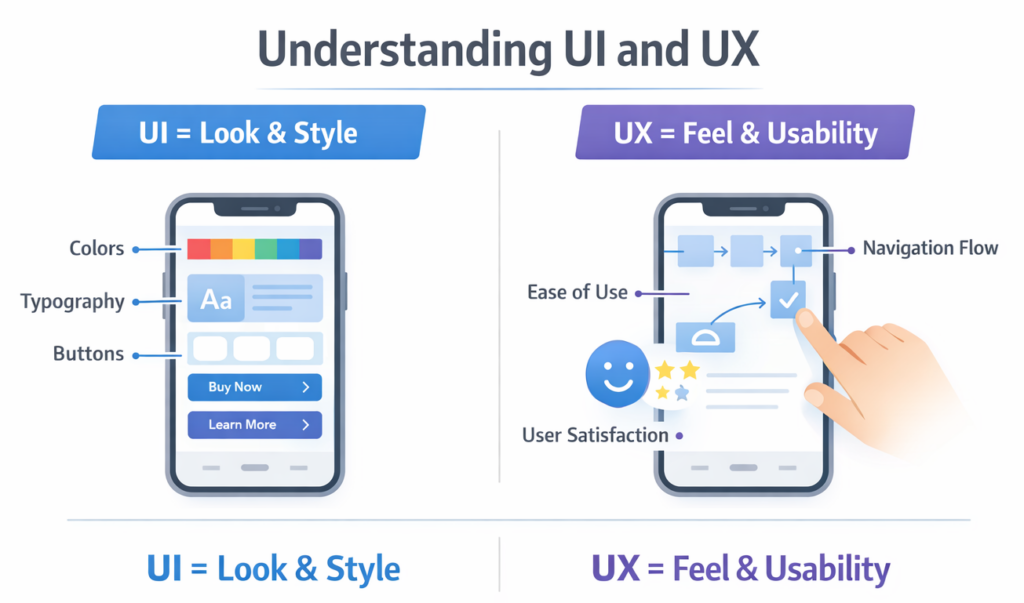
UI (User Interface)
UI refers to the visual part of the app — what users see.
This includes:
- Buttons
- Colors
- Layouts
- Icons
- Typography
- Screens
👉 Simply: UI = Appearance
UX (User Experience)
UX refers to the feeling and usability of the app — how users interact.
This includes:
- Navigation flow
- Ease of use
- Speed
- Accessibility
- Task completion
👉 Simply: UX = Experience
UI attracts users. UX keeps them.
Why UI/UX Matters More Than Features
Today, users compare apps instantly.
If your app confuses them for even 3 seconds, they leave.
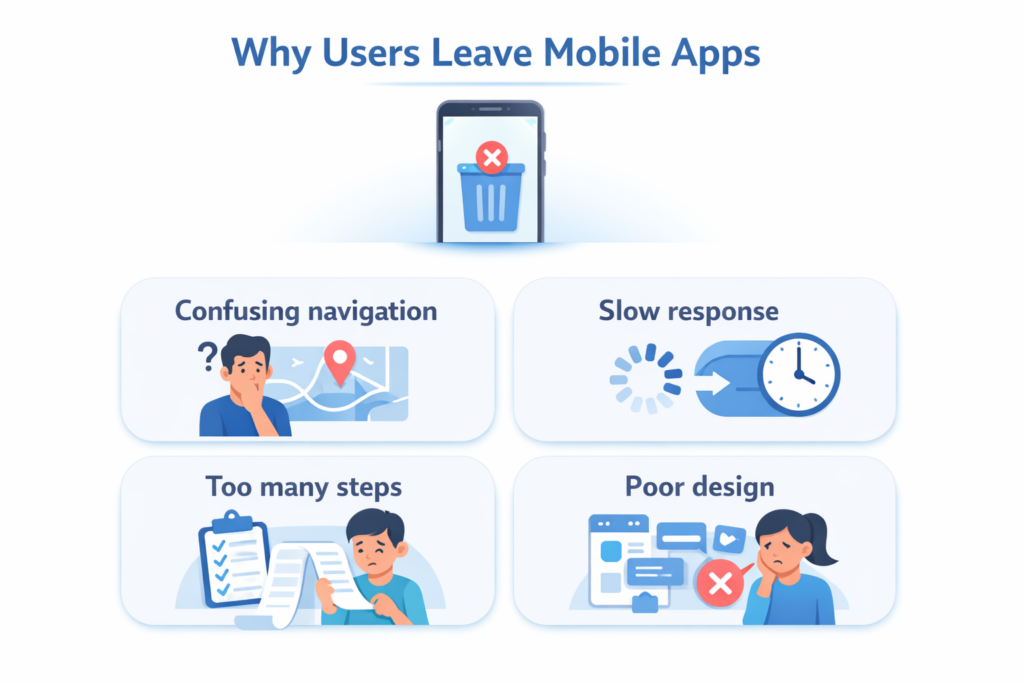
According to UX research:
- 88% users never return after bad experience
- 70% uninstall apps due to poor usability
- Users decide app quality within 5 seconds
Therefore, successful companies invest heavily in UX strategy before development.
For example, while developing scalable digital products, companies focus on usability first — similar to structured development approaches explained in modern product strategies (see development insights: https://technobotsystem.com/blog)
Core Benefits of Good UI/UX Design
1. Higher User Retention
Good experience builds habit.
Users return daily because:
- They understand the interface
- Tasks feel effortless
- They trust the system
Bad UX causes uninstall. Good UX builds loyalty.
2. Better Conversion Rate
Design directly impacts business revenue.
For example:
- Clear checkout → more purchases
- Easy signup → more registrations
- Simple forms → more leads
Even a small UX improvement can increase conversions by 200%–400%.
3. Reduced Development Cost
Many companies think UX costs money.
Actually, bad UX costs more money.
Fixing after launch requires:
- Re-coding
- Re-testing
- User complaints handling
Therefore, planning UX early saves budget.
4. Strong Brand Trust
People trust apps that feel professional.
Clean design signals:
- Security
- Quality
- Reliability
That is why banking and fintech apps invest deeply in UI/UX research.
Key Principles of Effective Mobile UI/UX
📱 Simplicity First
Users should understand the app instantly.
Rule:
If user needs instructions → design failed.
🔄 Consistency
Buttons and actions must behave the same everywhere.
For example:
- Same colors = same meaning
- Same gesture = same action
Consistency reduces mental effort.
⚡ Speed Perception
Even fast apps feel slow if design is poor.
Use:
- Skeleton screens
- Progress indicators
- Instant feedback
👆 Thumb Friendly Navigation
Most users use phones with one hand.
Therefore:
- Important actions in bottom area
- Avoid top corner interactions
♿ Accessibility
Your app must work for everyone.
Include:
- Readable fonts
- Color contrast
- Voice support
- Large tap areas
Accessibility also improves SEO and rankings.
🧩 UX Process Behind Successful Apps
Successful apps follow structured UX workflow.
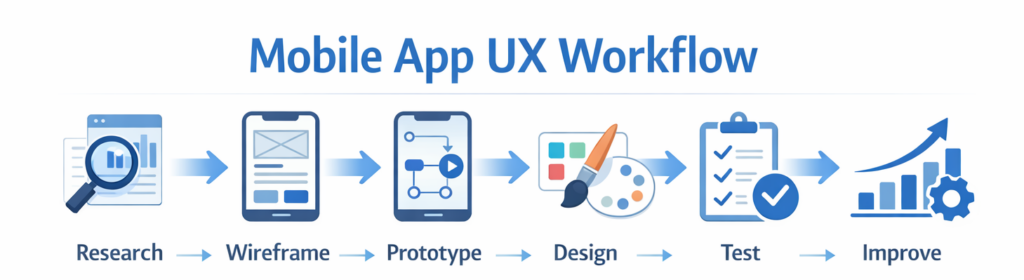
Step 1 — User Research
Understand:
- Target audience
- Problems
- Behavior patterns
Step 2 — Wireframing
Create basic layout before design.
Focus:
Structure > Beauty
Step 3 — Prototyping
Clickable demo to test experience.
Step 4 — UI Design
Add branding, colors, typography.
Step 5 — Usability Testing
Real users test before launch.
Step 6 — Continuous Improvement
After launch:
Analyze → Improve → Repeat
❌ Common UI/UX Mistakes That Kill Apps
- Overloaded Screens
Too much content overwhelms users.
- Complex Navigation
More than 3 taps for action = bad UX
- Forced Registration
Users leave before exploring
- Inconsistent Design
Creates confusion
- No Feedback
User taps but nothing happens → uninstall
📈 Real Impact of UI/UX on Business Success
Companies improved metrics after redesign:
| Change | Result |
|---|---|
| Simplified checkout | +35% sales |
| Better onboarding | +50% retention |
| Improved navigation | −40% support tickets |
| Faster interface | +60% engagement |
🔮 Future Trends in Mobile UI/UX
AI Personalization
Apps adapt to user behavior automatically
Voice Interfaces
Typing replaced by speaking
Predictive Experience
App predicts next action
Dark Mode Optimization
User comfort and battery saving
Micro-Interactions
Tiny animations guide users
🧭 How Businesses Should Approach UI/UX
Instead of asking:
“How should the app look?”
Ask:
“How should the user feel?”
Because modern development focuses on human-centered design, not feature-centered development.
For scalable product strategy and development lifecycle understanding, businesses can explore structured implementation approaches in professional development resources:
https://technobotsystem.com/
🏆 Final Thoughts
UI/UX is not a design stage.
It is a business strategy.
Successful mobile apps are not the most complex ones — they are the easiest to use.
Good code makes apps work.
Good UX makes apps succeed.
In the end:
People don’t use apps because they need them.
They use apps because they enjoy them.